
How Asana Found $40M in Recoverable Revenue - Issue 315
A product analytics case study on false churn - and how Asana turned user removals into a $40M product decision - guest post by Kuber Jain


I don’t often write about product analytics at SaaS, except maybe for the occasional rant, benchmark, or research. Today is an exception.
I asked my good friend Kuber Jain to share a behind-the-scenes look at analytics in SaaS, including how his team at Asana used product analytics to drive a feature worth $40M.
Kuber is now a Senior Data Scientist at Headspace. Previously, he worked on analytics at Asana, DocuSign, and Optimizely, where he helped product and engineering teams use data to improve user experience, engagement, experimentation, and business outcomes.
Below, Kuber walks us through a project from his time at Asana, where his team was trying to understand and reduce customer churn. They segmented users, identified which customers were most likely to churn, studied when they came back, mapped the friction points, and quantified the business impact. Let’s break it down.

Asana is one of the leading work management platforms, helping teams plan, organize, and execute their work. The company grew to more than 170,000 paying customers around the world.
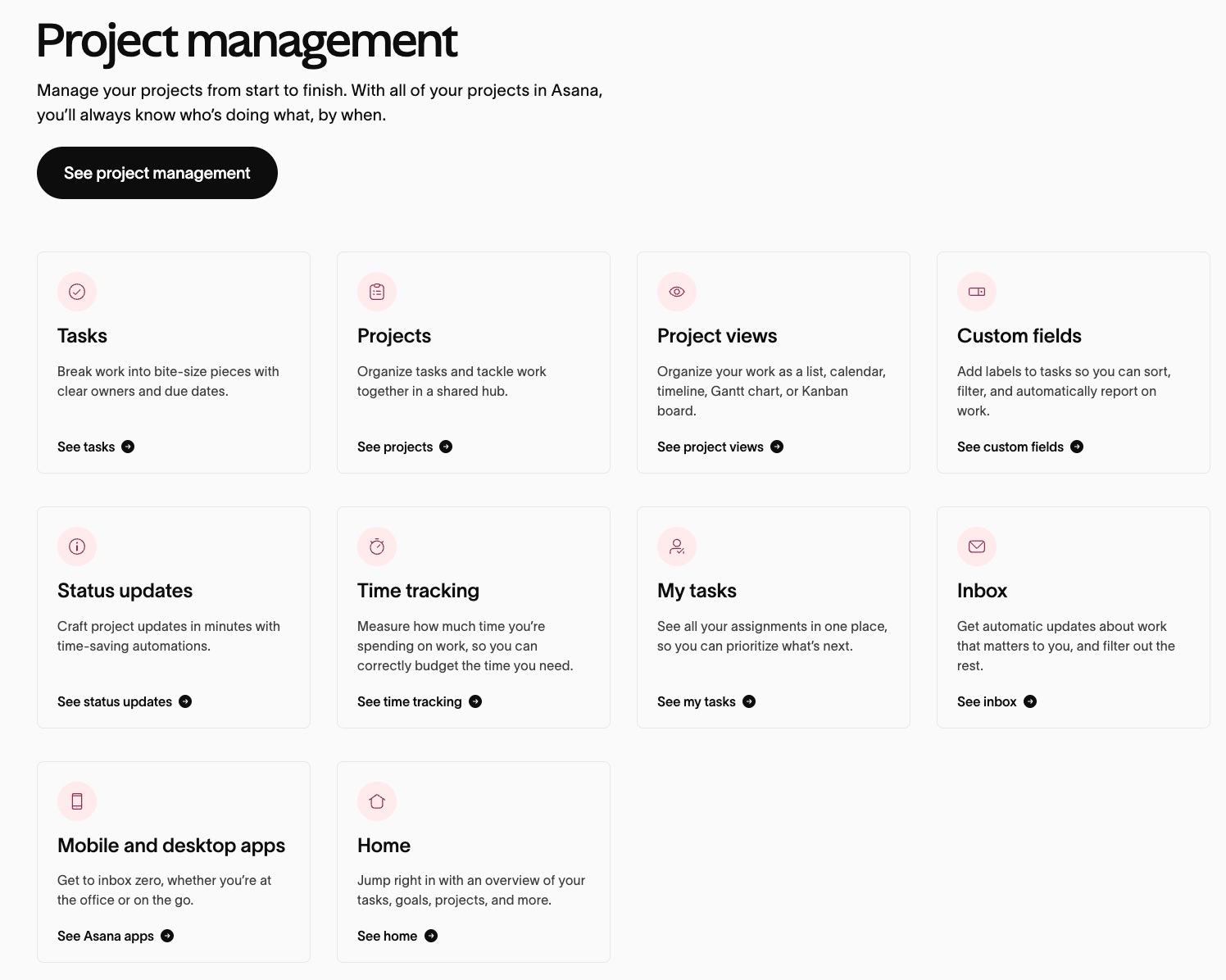
The case study Kuber shares below is about Asana’s Pause Member feature.
I wanted to share it today because the lesson applies far beyond Asana. In SaaS, users often leave for operational reasons: a team changes, a project ends, a budget gets cut, or an admin removes inactive seats. That does not always mean the user no longer needs the product.
Asana’s Pause Member feature is a good reminder that not every lost seat means lost product value. Sometimes, what looks like churn is actually a billing or seat-management problem. In this case, more than 60% of removals were tied to budget pressure rather than true employee turnover, turning what could have been a temporary cost-cutting decision into a permanent product exit.
I’ll hand it over to Kuber to break down what the team found, how they quantified the opportunity, and how those insights shaped the feature.

Why Asana built a “pause member” feature - and why it was worth millions
Below, I’ll walk through the analysis that led Asana’s team to the solution: how they segmented user removals and churn, measured when removed users came back, identified which users and organizations were most affected, mapped the friction in the return path, and quantified the business impact of fixing it.
Before getting into the analysis, it’s worth grounding ourselves in what churn means for a SaaS business, and why not all churn is the same problem.
What is churn?
Churn is when a customer or user stops using a product.
In SaaS, this usually means a company stops paying, which is revenue churn, or a user stops using the product, which is user churn.
Revenue churn hits revenue directly. User churn is often an early warning sign. But in Asana’s case, the team was looking at something more specific than general churn: users being removed from a workspace.
What is the user removal rate?
User removal rate is the percentage of active users removed from a workspace over a given period, usually by an admin.
This metric matters because removal does not always mean disengagement. A removed user may still need the product, but the current workflow gives them no easy way to pause, return, or keep their history. Why does it matter so much for SaaS?
SaaS businesses depend on retention. Even a small improvement can have a big long-term impact. A commonly cited benchmark: reducing churn by just 1pp can increase a company’s valuation by 12% or more over five years, because of how retained revenue compounds.
Types of churn
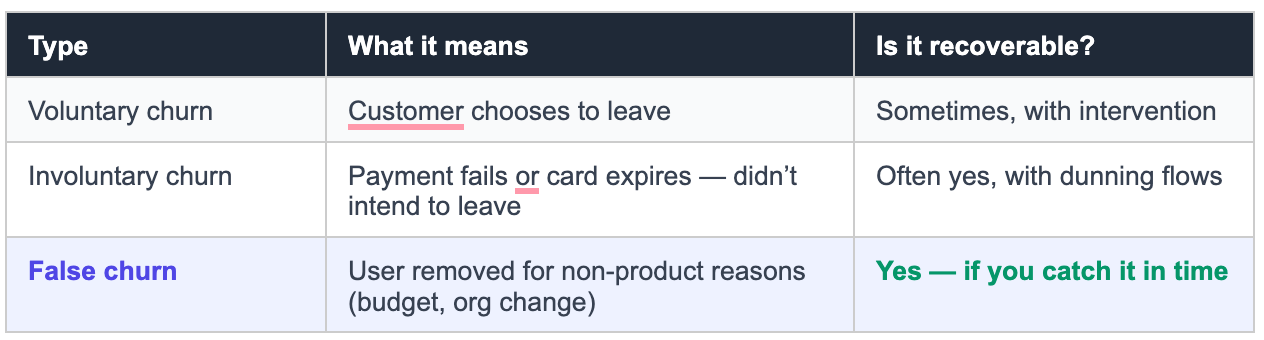
The Asana case is mostly about false churn. That difference matters because it changes what you should fix.
You do not fix false churn with better onboarding or more support. You fix it by changing how the product handles temporary exits, so users are not treated as permanently lost when they still have a reason to come back.
Problem:
Users weren’t leaving because the product failed them. They were being removed by administrators making short-term budget decisions, and the product was treating each one as a permanent exit. The analytics work was about proving that, quantifying it, and justifying the fix.
The question every product analyst should ask before writing off churn: how many of these users actually wanted to leave? The answer is rarely 100%.
The analysis: 5 Steps that led to Pause Member
The Pause Member feature didn’t come from a product instinct or a sales request. It came from a structured analytical process. Here’s how it unfolded - step by step.
Step 1: Segment the removals to find the recoverable pool
A high removal rate doesn’t tell you much on its own. You need to break it down.

 | A guest post by
|